The post Direct Mail Letters: The Perfect Solution for Personalized Marketing appeared first on Mailjoy blog.
]]>Early on we focused solely on postcards. They’re low cost and are great for marketing because their message is immediately visible. Along the way, we learned that while our customers love the Mailjoy experience, they also want to use it for other kinds of direct mail.
Direct Mail Letters: Why You Should Consider Them in Your Marketing Strategy
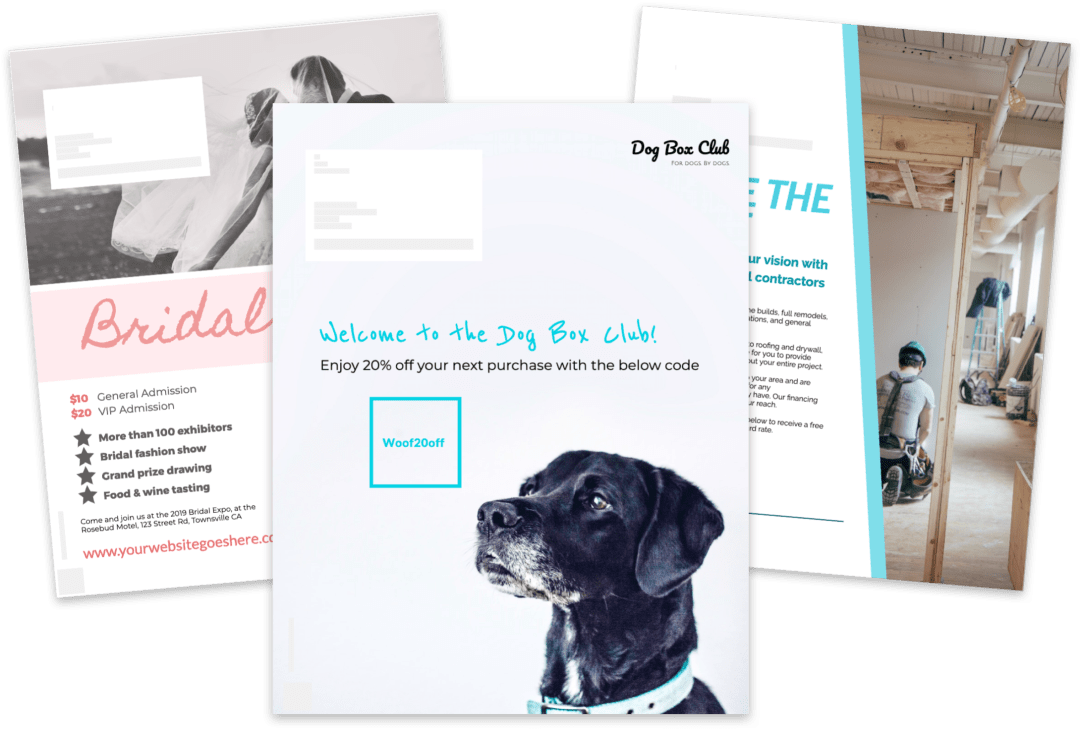
Direct mail letters can be an excellent way to deliver your message to potential customers, particularly in situations where you need to convey more information than you can fit on a postcard. These full-color, 8.5″ x 11″ pages allow you to communicate with your audience on a deeper level, which can help establish trust and credibility. They are also delivered in a sealed envelope, which ensures that your message remains private and secure.
With this in mind, direct mail letters can be a powerful tool for reaching out to potential customers and delivering your message in a professional and secure way. With Mailjoy, creating and executing a direct mail letter campaign has never been easier or more accessible.
Creating a Letter Campaign: It’s Easier Than You Think
If you’re worried that creating a direct mail letter campaign will be a hassle, fear not, my friend. The process is just as easy as creating a postcard campaign. When you create a campaign with Mailjoy, you can choose what kind of mailer you want to send, including letters. Plus, our redesigned direct mail designer makes designing letters a breeze. And if you’re short on time, our letter templates can help you get started even faster.

Affordable and All-Inclusive Pricing
We understand that every business has different direct mail needs, which is why we offer a pay-as-you-go pricing model. This means that you only pay for the mailers you send, without any upfront costs or commitments. It’s a flexible and affordable solution that allows you to test different strategies and adjust your budget accordingly. Whether you want to send a few dozen letters or a few thousand, our pay-as-you-go pricing model makes it easy and affordable to reach your target audience.
With Mailjoy, you don’t have to worry about hidden fees or surprise charges. Our pricing is all-inclusive, which means that it covers everything from printing to postage to tracking. You’ll know exactly how much your direct mail campaign will cost upfront, without any unexpected expenses. Plus, our pricing is highly competitive, so you can get the most out of your marketing budget. With Mailjoy, you can focus on creating a high-quality direct mail campaign without worrying about logistics or cost.
Learn more about our new letter campaigns, or visit the Mailjoy website to discover everything we can offer your business.
The post Direct Mail Letters: The Perfect Solution for Personalized Marketing appeared first on Mailjoy blog.
]]>The post How Advance Acceptance uses postcards to personally onboard customers appeared first on Mailjoy blog.
]]>What’s Advance Acceptance?
Advance Acceptance is a national finance division of First Western Bank & Trust. We’ve financed equipment for nearly all Fortune-ranked businesses in manufacturing or production of goods – as well as 10s of thousands of small to mid-size firms. Our business works with manufacturers and dealer networks across the USA to provide B2B financing solutions. Advance Acceptance was founded in 1972, in Minneapolis, Minnesota and has seen record growth over the past four years.
Why do you invest in using direct mail? How does it fit with the rest of your marketing efforts?
Advance Acceptance invests in direct mail for many reasons. Our primary audience is 55-65 year olds who may not be as interested in technology or digital marketing as others. Although we invest heavily in marketing automation and digital, the power of high-quality print mail is still valuable to our bottom line.
Before Mailjoy, did you experiment with mail at all? If so, what were your experiences with it?
Before Mailjoy, we literally tried every type of mailing service imaginable. Most simply weren’t cost-effective or capable of creating the variable data (custom) high-touch pieces our company prides itself on. We’ve literally halved our print mail budget while doubling our output with Mailjoy. We still print confidential and compliant data in-house, similar to any bank, but for basic B2B marketing, postcards are a prime choice. Mailjoy is like email marketing for print!
Tell us about the latest postcard campaign you sent with Mailjoy. What was it for? How did you set it up?
Our latest campaign was our standard customer onboarding mailer. We reuse the templates from previous campaigns and change the teaser image (front image) on a regular basis to keep things fresh. Each piece is customized with a unique, variable greeting, contact information, and other elements. Every customer receives something based on their business and history with our company.

What’s your favorite Mailjoy feature?
My favorite Mailjoy features (because I have many favorites) are the ability to customize each print, design custom templates in minutes, proof our designs in real-time, and segment our mailing lists.
Do you have any advice for other financial companies who want to incorporate postcards into their marketing mix?
Postcards are a great way for financial services businesses to stand out from the crowd. Typically, banks and financiers use the “dreaded” window envelop that’s infamous for getting thrown in the trash without a second glance. Most people regard banking and finance mail to be “another offer” or junk mail. With postcards, you can see the content and message right away. If you utilize delight in your design process, customers will be more likely to read further.
How can people learn more about Advance Acceptance?
You can learn more about Advance Acceptance at AdvanceAcceptance.

If you’re a financial services business that would like to start sending personalized postcards to your customers like Advance Acceptance does, try Mailjoy. We’re a do-it-yourself tool to design, mail, and track postcard campaigns in minutes. Sign up now for free.
The post How Advance Acceptance uses postcards to personally onboard customers appeared first on Mailjoy blog.
]]>The post Mailjoy Pro is here with new features and lower cost postcards appeared first on Mailjoy blog.
]]>Today, we’re excited to announce Mailjoy Pro to unlock the full capability of what you can do with direct mail, all while saving you money on each postcard you send. It’s a monthly subscription that offers tons of new functionality and includes a certain number of postcard credits — often these are more affordable than our pay as you go price too! As long as you’re on a Pro plan, you’ll have access to the additional features and get more postcard credits each month when your plan renews.
Access all the features
Mailjoy Pro was designed to help you make the most out of postcard marketing. To do so, all of our most useful and powerful features are immediately available to Pro users. While this list will grow over time, here’s what it looks like today:
- Define segments to create precisely targeted mailings
- Personalize images for each recipient
- Connect Mailjoy to 750+ apps with Zapier
- View detailed conversion tracking reporting
- Use a CRM to manage contacts and their mailing history
- API access to integrate Mailjoy into your own workflows
Enjoy lower postcard marketing costs
Each month we’ll deposit new postcard credits into your account for you to use in your campaigns. The larger the plan you select, the cheaper each postcard is. Unused postcard credits even roll over each month. Plans are offered for each postcard size and priced by the number of credits you want each month. The plan options are 500, 1,000, and 2,500.
If you plan on sending more than one mail campaign over time, Mailjoy Pro is the ideal option to make the most of mail as a channel and save money.
Learn more about Mailjoy, or get started with it by contacting us.
The post Mailjoy Pro is here with new features and lower cost postcards appeared first on Mailjoy blog.
]]>The post New: Personalize images for every direct mail recipient appeared first on Mailjoy blog.
]]>
How to personalize images in your direct mail campaigns
Image personalization is a new source type when you go to add an image. This means you can now upload an image, search through 200,000+ free, professional images through Unsplash, or personalize per recipient. To use image personalization, you’ll need to set up a custom field with URLs to each image per recipient. This is a more advanced feature so be sure to check out our Personalizing images guide.

Get access to image personalization with Mailjoy Pro
Image personalization is available for Mailjoy Pro users. Mailjoy Pro is a monthly subscription which gives you tons of additional features like Segmentation, and also includes a monthly allocation of postcard credits — often at a price lower than our pay as you go pricing! For example, if you’re mailing 1,000 contacts, upgrading to Pro will be a lower campaign cost and you’ll get access to all of the Pro features.
If you’d like to learn more about Pro or get started on it, please contact us.
The post New: Personalize images for every direct mail recipient appeared first on Mailjoy blog.
]]>The post How Beat Nb, a non-profit, uses personalized direct mail for fundraising events appeared first on Mailjoy blog.
]]>What’s Beat Nb’s mission?
Beat Nb is making a difference in kids’ survival today by driving neuroblastoma cancer research and raising awareness. We want to change the story for the next family by finding viable treatments and, ultimately, a cure for neuroblastoma.
What’s a recent milestone you’re proud of?
We were proud to be profiled in a 5 part series the Boston Globe published last December about our work, called The Power of Will.
What’s been some of your biggest marketing challenges as a non-profit?
Some of our biggest marketing challenges have been a small budget and a hard – yet misunderstood – subject matter. We talk a lot about the hope involved in childhood cancer because the harshness of treatment and the stories of loss are generally too hard for the public to hear. There IS a huge amount of hope though through the work we’re driving as well as from others. The public also doesn’t generally know that childhood cancer, like adult cancer, is actually several different distinct diseases. One hospital focusing on a couple cancers does not mean the whole of childhood cancer is “good now” — which we often hear. So there’s a lot of education we wind up doing.
Before Mailjoy, did you experiment with mail at all? If so, what were your experiences with it?
We’ve experimented with mail and had a great local partner, but we saw very little conversion so we abandoned the idea as something only feasible with a larger budget.
So that explains why you’d be interested in a DIY direct mail tool which lets you personalize the mailers. Can you tell us about the latest postcard campaign you sent with Mailjoy? What was it for? How did you set it up?
Our latest Mailjoy campaign was an invitation to our Karaoke for the Kure annual fundraising event in Tampa, Florida. We personalized each card with the supporter’s first name over a design we’d built in Photoshop. We were able to send two separate designs – one for anyone who had attended the event in the past and another for anyone who had supported us in the past and lived in the area. Setting up both of these campaigns was as simple as exporting a CSV file from our CRM and uploading it to Mailjoy.

Do you have any advice for other non-profits who want to incorporate direct mail into their marketing mix?
Direct mail is great – people love receiving a personalized piece of physical mail. Mailjoy’s customization/personalization feature is definitely something to take advantage of on every campaign – we had multiple emails, texts, and messages from folks who were surprised and happy to see their name in the design. We’re still looking for the best way to make use of direct mail, but we love the ease of use with Mailjoy.
How can people learn more about Beat Nb?
Beat Nb is a national 501(c)(3) focused on driving a cure for childhood cancer. We do this by pushing forward patient-affecting clinical trials through funding and connecting key parties. We’d love for you to learn a little more about us through our website at beatnb.org or on Facebook.

If you work with non-profits and would like to start sending personalized postcards to your donors and community like Beat Nb does, try Mailjoy. We’re a do-it-yourself tool to design, mail, and track postcard campaigns in minutes. Sign up now for free.
The post How Beat Nb, a non-profit, uses personalized direct mail for fundraising events appeared first on Mailjoy blog.
]]>The post Introducing Segments, an easy way to create highly targeted campaigns appeared first on Mailjoy blog.
]]>Hello, Segmentation.
Imagine being able to organize your contacts into mailings lists based on things like their location, mailing history, purchase data, birthday, or signup dates. With Segmentation, you can. It’s the most powerful tool we’ve ever created to help you send more targeted campaigns.

Segments are dynamic lists that constantly add and remove contacts based on criteria you define. You simply choose different criteria and we’ll find all of your contacts that match it. Your segments can then be used as mailing lists in your campaigns.
Endless possibilities
For our launch, we’re initially offering 15 different conditions for you to select from. This covers everything from basic contact data like name and state to mailing history and last mailed dates.

To inspire you for how creative you can get with segments, here are a few examples:
- All contacts who live in the zip code 94105.
- All contacts who live in San Francisco or New York City.
- All contacts who you’ve never mailed.
- All contacts who you haven’t mailed in the last 60 days.
- All contacts who were added to your VIP list since September 15th.
- All contacts with a birthday this month.
- All contacts who were automatically created in Mailjoy via our Zapier integration.
Since we have no volume minimums when you send a campaign with us, you can create extremely granular segments to mail to even if it only includes a handful of people. Combine this hyper-targeting with personalizing each postcard and you’ll be sending some of the smartest direct mail on the planet.
How to get started with Mailing List Segmentation
We’ve redesigned the contacts page to make creating and managing both lists and segments simple. To create a segment, simply click the “Create new” button on the left panel and select segment. From there, you can start selecting different conditions to define your segment.
Learn more in our Getting started with segments guide.
Segmentation is only available for Mailjoy Pro users. Mailjoy Pro is a monthly subscription which gives you tons of additional features like Segmentation, and also includes a monthly allocation of postcard credits — often at a price lower than our pay as you go pricing! For example, if you’re mailing 1,000 contacts, upgrading to Pro will be a lower campaign cost and you’ll get access to all of the Pro features.
If you’d like to learn more about Pro or get started on it, please contact us.
The post Introducing Segments, an easy way to create highly targeted campaigns appeared first on Mailjoy blog.
]]>The post How to create personalized postcard design using your own artwork (2023) appeared first on Mailjoy blog.
]]>Creating Your Design Using Our Free Design Template
Your designer will need to design within our required template size. They can reference our guide on how to design within our template guidelines. We also have a Photoshop template they can use to get started.
For example, let’s start with the creative below which I designed in Photoshop for an upcoming event called Revenue Summit.

Uploading Your Artwork To The Campaign
To upload my artwork, I’ll simply add it as the background image for the design. If I didn’t want to personalize the design, I’d stop here. In this case, I’ll personalize it because personalization drives higher conversion rates.

Adding the Personalization to Your Postcard Design
Now let’s assume I’m mailing last year’s attendee list in hopes that they’ll come back this year. I’d like to personally invite each attendee back. So, I simply add a new text element and include the {{firstname}} merge tag within it. When it comes time to mail out the campaign, the tag will automatically change to each recipient’s first name.

Previewing the Final Personalized Postcard Design
With the design and personalization set, I can preview how the postcard would look for each recipient by using Live Preview mode. Once I turn it on, I can easily cycle through all the attendees in my mailing list, and any of the data that I used in my personalized postcard design will now appear.

I can even go one step further by seeing a PDF proof of the merged design that would be sent to the printer.

And that’s it! This design is ready to go.
To sum up, Mailjoy makes personalizing postcards as simple as possible. Adding personalized text to a campaign is often something a traditional print shop can’t do, but with Mailjoy, you can do it and preview the results in minutes. Get started now for free.
The post How to create personalized postcard design using your own artwork (2023) appeared first on Mailjoy blog.
]]>The post Design postcards with our drag and drop designer (2023) appeared first on Mailjoy blog.
]]>
Drag and drop design experience
Customize any of our templates for inspiration or create your own from scratch. Each element like text, images, and shapes can now be modified, added, or removed. Creating a custom postcard is now as simple as dragging and dropping the elements you want to use.

Beautiful print-ready fonts and images
We’ve hand-selected dozens of fonts that work perfectly for print. Choose everything from big, bold fonts to emphasize your message to clean, handwritten fonts to make things more personal. We’ve also integrated Unsplash so you can choose from 100’s of thousands of free, print-ready images that look amazing — no cheesy stock photography here!

Personalize and preview your postcard design
Personalize every postcard with your contact’s data through merge tags. This lets you create highly personal postcards with the recipient’s name, personal promo codes, unique URLs for conversion tracking, or any other data you want to use. When you want to preview each card, simply enable Live Preview mode to cycle through your campaign’s recipients.

Loads of new eye-catching templates
We’ve already doubled the number of free postcard templates we offer with more coming each week. Use the templates for inspiration or as a starting point for your own design. We’re designing new ones for tons of usecases and industries. Feel free to message us if you don’t find a template type you’re looking for.

Upload and personalize your own artwork
Have your own artwork? No problem! You can easily upload those too. However, our new postcard designer offers something you couldn’t do anywhere else until now — personalizing your premade artwork. With your design uploaded, you can add personalized text elements on top of it. This lets you get the best of both worlds — high-quality, on-brand design with personalized content for each recipient.
We even have useful guidelines and Photoshop templates to help you or your designer layout your artwork with ease, ready for importing into Mailjoy.

Ready to design postcards for yourself?
Mailjoy is a free DIY postcard marketing tool with the capabilities of an email marketing tool. With it, you can design, mail, and track personalized postcard campaigns in minutes. Start designing now.
The post Design postcards with our drag and drop designer (2023) appeared first on Mailjoy blog.
]]>The post Direct Mail Integrations: Connect Mailjoy to 5000+ apps with Zapier appeared first on Mailjoy blog.
]]>How it works
With Zapier, you setup Zaps to automate your workflows. Each Zap you create performs a specific task involving Mailjoy and whatever app(s) you are using. In short, zaps consist of two parts: triggers and actions.
Triggers kick off a Zap because something has happened. For example, this could be a contact that was updated in Mailjoy, a new contact that was added to your Hubspot CRM, or a conversion that happened in one of your campaigns.
Actions are the actual automations performed because a trigger happened. For instance, to update/create a contact in Mailjoy or send the new contact added in Mailjoy to a Slack channel.
Ways to use the Zapier-Mailjoy integration
- Shopify merchants can automatically add/update their new customers to a mailing list in Mailjoy. This makes promoting your next sale even easier. Note: This also works with other ecommerce stores like BigCommerce and Magento.
- Hubspot users can automatically add contacts to a mailing list in Mailjoy when a contact is created or a tag is added in Hubspot. Note: This also works with other CRMs like Salesforce and Base.
- Marketing and sales teams can trigger emails via Zapier email, Mailshake, or other email tools the moment someone converts from a Mailjoy campaign.
- Marketers can get notifications in Slack the moment a conversion happens.
- …and also thousands of other ways to have Mailjoy work with the apps your business uses.
Available Triggers for Outbound Direct Mail Integrations
We’ve created a variety of triggers that allow Mailjoy to communicate with other apps, or automate actions inside of Mailjoy itself. Our initial set of triggers focuses on managing contacts and campaign conversions.

Available Actions for Incoming Direct Mail Integrations
We’ve created a variety of actions that allow you to set up inbound communication with Mailjoy from your other apps. Our initial set of actions focus on creating/editing contacts and managing their list memberships in Mailjoy.

You can see other highlighted Zapier integrations here. New to Mailjoy and want to send the easiest and smartest direct mail yet? Sign up here for free!
Note: Our Zapier integration is only available for Mailjoy credit plan users. If you’d like to learn more about Mailjoy credit plans, please visit our pricing page.
The post Direct Mail Integrations: Connect Mailjoy to 5000+ apps with Zapier appeared first on Mailjoy blog.
]]>The post Track direct mail conversions in real-time (2023) appeared first on Mailjoy blog.
]]>Introducing Conversion Tracking by Mailjoy
Tracking the effectiveness of direct mail campaigns has long been a challenge for marketers, but we have built a simple solution right into Mailjoy. With our cutting-edge technology, you can now track the performance of your direct mail postcards like never before. Gone are the days of wondering if your campaign is working, or how many people are actually converting. We’ve created a way for you to track the conversions from individual postcards, visualize the results, and even get notified the moment a conversion happens.
And that’s not all. Our first release is centered around tracking website views, so if your call-to-action is sending someone to your website, you’re in luck. We’ll tell you everything you need to know about the traffic that’s coming your way. You’ll know how many visits you received, who visited and when, and your total conversion percentage. With this kind of data at your fingertips, you can make informed decisions about your campaign and adjust your strategy accordingly.
Easily Track Direct Mail Conversions: How It Works
The next time you setup a campaign, you can track direct mail conversions very easily. You simply provide us with the destination URL — i.e. where you want people to go to. You can even add on UTM parameters so the traffic is properly attributed in your Google Analytics.

The URL is in the format pst.to/c9df8dj with the c9df8dj part being unique to each recipient. When the recipient visits the URL, it will instantly redirect them to your website, and Mailjoy will log the conversion.
You can then place a ‘Conversion URL’ or ‘QR Code’ on your design, and we will automatically convert it into a unique short tracking URL/QR code on each recipient’s postcard or letter. This can easily be performed in mere seconds using Mailjoy’s designer, and previewed in real-time with your recipient data.

Making Sense of the Numbers: Visualizing Your Tracking Data
We’ve overhauled the campaign reporting experience to give you even more insights into what happens after you send a campaign with Mailjoy.

With the Results tab, you’ll get a clear picture of how your campaign is performing, including a conversion chart and a feed that displays who converted and when. This is valuable information that lets you see the effectiveness of your campaign and adjust your strategy if needed.

In the Recipients tab, you’ll get more detailed information about who converted, and how many times they viewed your website. This data allows you to identify your most engaged leads, which is crucial for targeting specific audiences with follow-up campaigns. You can even filter by who converted and who didn’t, which makes it easy to see which recipients you may want to retarget.
With these new insights, you can optimize your marketing strategy, focus on high-value customers, and get a better understanding of the ROI of your campaigns.
Real-time Actions: Put Your Conversion Tracking to Work
When someone converts, it’s a sure sign of their interest in whatever you’re promoting. What if you could take action the moment that interest happens? Well, we have you covered there too! Whether you want a Slack notification or send a follow up email, you can do that with our Zapier integration. We have a new conversion event trigger that lets you take action the moment a conversion event happens.
A Real-World Example: Conversion Tracking in Action
I’ve setup a targeted campaign and want to do the following:
- Track visits to my website www.mailjoy.com.
- Properly attribute the traffic (UTM source: mailjoy; UTM medium: mail; UTM campaign: my-campaign)
- Know who converted and get notified in Slack the moment a conversion happens
Additionally, by using conversion tracking and our Zapier integration, we can do all of this and more!
When a Mailjoy conversion occurs, you can use Zapier to trigger a wide range of automated actions that integrate with other software and platforms. For example, you can automatically add the customer’s contact information to a CRM like Salesforce or HubSpot; send a personalized thank-you email or text message through an automation tool like Mailchimp or Twilio; or even create a new task or project in a project management system like Trello or Asana to ensure that the conversion is followed up on promptly.
You can easily set up automated workflows using Zapier without writing any code. This allows you to streamline your processes, save time, and ensure your customer data remains organized and up-to-date.
Learn more about getting started with conversion tracking here. New to Mailjoy and want to send the easiest and smartest direct mail yet? Sign up here for free!
Note: Conversion tracking is now available for free and Pro users. Free users will only be able to see anonymous conversion events, whereas credit plan users can see exactly who converted and take action via our Zapier integration. If you’d like early access to Mailjoy Pro, please contact us.
The post Track direct mail conversions in real-time (2023) appeared first on Mailjoy blog.
]]>